
How do I check an Ex-UK laptop before buying it in Kenya?
Before you pay for an Ex-UK laptop in Kenya, run ten checks: battery health (the single most important one, because wear is invisible until measured), screen for dead pixels and backlight bleed, every port and the keyboard, Wi-Fi and Bluetooth, the webcam, speakers and microphone, storage health, that Windows is genuinely activated, that the BIOS has no password or supervisor lock, and that the serial number is not flagged stolen on the manufacturer's site. Finish by getting an E-TIMS receipt with the shop's real KRA details. A shop that lets you do all of this is a shop worth buying from.
Contents
- 1. Battery health — do this first
- 2. Screen — dead pixels and backlight bleed
- 3. Every port, and the keyboard
- 4. Wi-Fi and Bluetooth
- 5. Webcam, speakers, microphone
- 6. Storage health
- 7. Windows activation
- 8. BIOS password and supervisor lock
- 9. Serial number — not reported stolen
- 10. Receipt with real KRA details
- What the grades (A, B, C) actually mean
- FAQ
1. Battery health {#1-battery-health}
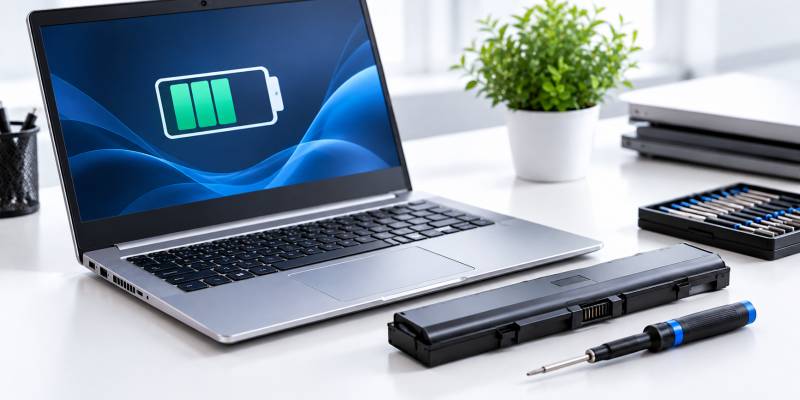
Check the battery by comparing its Design Capacity (what it held when new) with its Full Charge Capacity (what it holds now). On Windows, open Command Prompt as administrator, run powercfg /batteryreport /output C:\battery-report.html, then open that file. Divide Full Charge Capacity by Design Capacity: above 80% is healthy, 60–80% is worn but usable, below 60% means the battery needs replacing soon (chargie.org, nzlw.co.nz).
Do this first because battery wear is invisible until you measure it — a laptop that looks perfect can have a battery at 55% health. If the health is below 80%, that is not a reason to walk away, but it is a reason to negotiate the price down by the cost of a replacement battery and to get that in writing.
2. Screen — dead pixels and backlight bleed {#2-screen}
Test the screen with a full-white image and a full-black image at full brightness. On white, look for dark spots (dead pixels) or bright stuck pixels. On black in a dim room, look for uneven glowing patches at the edges (backlight bleed) and any pink or yellow tint. A Grade A Ex-UK screen should have no dead pixels, scratches or discolouration (Greenwave Electronics). One or two dead pixels near the edge is common and usually acceptable at a lower grade; a cluster, or any in the centre, is not.
3. Every port, and the keyboard {#3-ports-keyboard}
Plug something into every port: each USB-A and USB-C, the HDMI (connect to a screen and confirm a picture), the headphone jack, the SD card reader, and the charging port (confirm it charges, and that the charger is the correct wattage). Type every key in a text box, including the number row and the function keys. Press the trackpad in all four corners and test both click zones. Ex-UK refurbishers test exactly this set — ports, keyboard, trackpad, screen, battery and wireless (Databird) — so a shop that won't let you is skipping its own job.
4. Wi-Fi and Bluetooth {#4-wifi-bluetooth}
Connect to a Wi-Fi network in the shop and load a page. Pair a Bluetooth device. A weak or dropping Wi-Fi signal on an otherwise good machine often means a loose antenna cable from a previous repair — cheap to fix, but you want to know before you pay.
5. Webcam, speakers, microphone {#5-webcam-audio}
Open the Camera app and confirm a clear picture. Play a sound on both left and right speakers. Record a short voice clip and play it back. These are quick, and a dead webcam or a blown speaker is a real cost on a laptop you plan to use for calls.
6. Storage health {#6-storage}
Ask the shop to show the drive's SMART health status (any technician can read this in seconds with a free tool such as CrystalDiskInfo). A drive reporting anything other than "Good" / "Healthy", or a high reallocated-sector count, means the SSD or hard drive is near failure. Also confirm the advertised capacity is real — a 256GB SSD should show roughly 238GB usable.
7. Windows activation {#7-windows}
Go to Settings → System → Activation and confirm Windows is activated with a genuine licence. A machine showing "Windows is not activated" or "activate Windows" watermark either needs a licence you'll have to buy, or is running a non-genuine copy. Ex-UK business laptops (HP EliteBook, Dell Latitude, Lenovo ThinkPad) usually carry a genuine digital licence tied to the motherboard.
8. BIOS password and supervisor lock {#8-bios}
Restart the laptop and press the BIOS key (F2, F10 or Delete, depending on the brand) during startup. If a password prompt appears, the seller has not done their job (Tom's Hardware forum). A legitimate Ex-UK laptop has no BIOS password, no supervisor lock, and no corporate device-management (MDM) enrolment left from its previous owner. A locked BIOS can make the machine unusable after an update, and it usually cannot be removed without the manufacturer.
9. Serial number — not reported stolen {#9-serial}
Read the serial or service tag from the sticker underneath, and check it on the manufacturer's own support site (HP, Dell and Lenovo all have a warranty/serial lookup). Confirm the model matches what you're being sold and that the machine is not flagged as reported stolen or blocked. This also tells you whether any manufacturer warranty remains.
10. Receipt with real KRA details {#10-receipt}
Get an E-TIMS receipt. Scan the QR code on it — it should confirm the shop's KRA-registered name, the invoice number, the date and the amount against KRA's records (People Daily). A shop that can only give you a handwritten note or a "warranty sticker" with no receipt is a shop with no accountability if the laptop fails. The receipt is also what you need to claim your warranty and, if it comes to it, to file a consumer complaint.
What the grades (A, B, C) actually mean {#grades}
Ex-UK laptop grades describe cosmetic condition, not whether the machine works — every grade should be fully functional after testing.
- Grade A — minimal visible wear, clean screen, no dead pixels (Greenwave Electronics).
- Grade B — visible scratches on the casing, keyboard shine from use; priced lower, still fully working (DeviceShop).
- Grade C — significant scratches, possible small dents, heavy keyboard wear; the cheapest, and fine if you only care about performance.
Ask the shop which grade you're buying and confirm it matches what you see. If a shop won't grade its stock, that itself is a warning.
How Priscom tests every Ex-UK laptop: Priscom deals in Grade A stock only (no B/C grading tier) — every unit is tested and verified, including a battery-health check against a minimum 70% floor, before it goes on sale, and carries a 3-month warranty. The 10-point checklist above is buyer-facing educational guidance you can run yourself in any shop — it is not a published step-by-step account of Priscom's internal workshop process.
FAQ {#faq}
Is it safe to buy an Ex-UK laptop in Kenya?
Yes, if you buy from a shop with a physical address, a testing process you can watch, an E-TIMS receipt, and a written warranty. Ex-UK business laptops are built to last and usually offer more machine for the money than a new budget laptop. The risk is untested or mixed-part units from sellers with no fixed location.
What is a good battery health percentage for an Ex-UK laptop?
Above 80% of design capacity is healthy. 60–80% is worn but usable — negotiate the price down. Below 60% means you should budget for a new battery soon (chargie.org).
How do I know an Ex-UK laptop is not stolen?
Read the serial or service tag from the sticker underneath and check it on the manufacturer's support site (HP, Dell, Lenovo). It should not show as reported stolen or blocked, and the model should match what you're told.
What does Grade A, B or C mean for a refurbished laptop?
The grade describes cosmetic wear only — all grades should be fully functional. Grade A is near-new in appearance, Grade B has visible scratches, Grade C shows heavy wear. Performance is the same; you pay less for more wear.
Should an Ex-UK laptop come with a receipt?
Yes — an E-TIMS receipt showing the shop's real KRA details. It is your proof of purchase for the warranty and your evidence if you need to raise a consumer complaint. A "warranty sticker" alone is not a substitute.